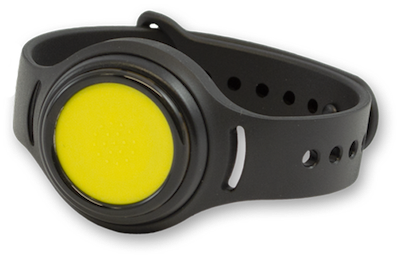
MT Wristband 211
Deprecated product
This product is deprecated.
For new deployments, consider one of the other alternatives.
Description
The MT Wristband 211 has made a significant footprint in the welfare industry by providing residents with an alarm signaling system wherever they go. The Wristband 211, combined with our AirMesh products, also makes it possible to enable indoor positioning and access control.
The Bluetooth chipset is nRF52832 from Nordic Semiconductor.
Firmware Model Number: 0x0010 (16)
DFU Type: Nordic DFU (Secure)
DFU Advertisement Name: DFU_WB:{MAC Address +1}
Normal operation procedure
Similar to all Meshtech trackers the MT Wristband 211 is delivered in storage mode. Normal operation device-mode for this device is unconnected. Pressing button for 1s will make device discoverable by advertising BLE storage mode advertisements, and device can be switched to unconnected mode by command via system/gateway. If no command to switch device mode is received while being in this state, device will go back to sleep and stop advertisements. To simplify provisioning to unconnected mode, pressing button for more than 5 seconds while in storage mode will automatically switch it to unconnected mode, and no command to switch mode is necessary from the system. When activating by long press, device will indicate that long press (5s+) has been received by lighting green LED.
In unconnected mode device will advertise tracking and status updates. Alarm is activated by pressing button for 0x9803 - Long Button Press Timeout amount of time. Red LEDs will blink periodically as long as alarm is active. Alarm state can be confirmed/cleared from system, and device will indicate with green LED once and stop blinking red LED’s to show that alarm has been cleared.
Supported Device Modes
Storage
Unconnected
DFU
Note
In DFU mode, the device MAC Address will increase with one. As an example, if MAC Address is AA:BB:CC:11:22:33, in DFU mode device will appear with MAC Address AA:BB:CC:11:22:34 and advertisement name “DFU_WB:AABBCC112234”. Another example if MAC Address is AA:BB:CC:11:22:3F, in DFU mode device will appear with MAC Address AA:BB:CC:11:22:40 and advertisement name “DFU_WB:AABBCC112240”
Properties
Property |
Reported |
Default Value |
From Version |
|---|---|---|---|
Yes |
0x0010 (16) |
||
Yes |
- |
||
Yes |
- |
||
No |
- |
||
Yes |
- |
||
Yes |
0x02 (2) |
||
Yes |
- |
||
Yes |
0x00000000 |
||
Yes |
0x03 (storage) |
||
Yes |
0xFF (255) |
||
- |
- |
||
- |
- |
||
Yes |
0xC3400003032005 |
3.2.0 |
|
Yes |
60 seconds |
3.2.0 |
|
- |
- |
||
- |
- |
||
- |
- |
||
Yes |
- |
||
Yes |
0x00 (0) |
||
Yes |
0x00 (0) |
||
Yes |
0xFC (-4 dBm) |
||
Yes |
700 ms |
||
Yes |
0x03E801 |
||
Yes |
250 ms, 1 Multiplier |
||
Yes |
500 ms, 1 Multiplier |
||
Yes |
3000 ms, 5 Multiplier |
||
Yes |
60 seconds |
3.2.0 |
|
Yes |
0x000000000000 |
||
Yes |
Always 0x00 (0) |
Events
Event |
Version |
|---|---|
3.3.0 |
Operating Modes
Normal
When in a normal mode, the priority and the alarm are set to “00”.
Alarm
When in Alarm mode, the Wristband gives light signals every 2 seconds. To switch the device to Alarm mode, the button has to be pressed for a while.
Priority
If prioritized, the messages from the device have a higher priority in the network queues. If not, the device reports less often.
Sleep
The device enters this mode after being still for approximately 2 minutes. The device in Sleep mode uses less current and generates less traffic in the network.
Notes
This device will report 0x9821 - Unread Text Message but does not support text messages. Thus, the value will always be 0x00.